Easter Egg Fun Frames1.1
Publisher Description
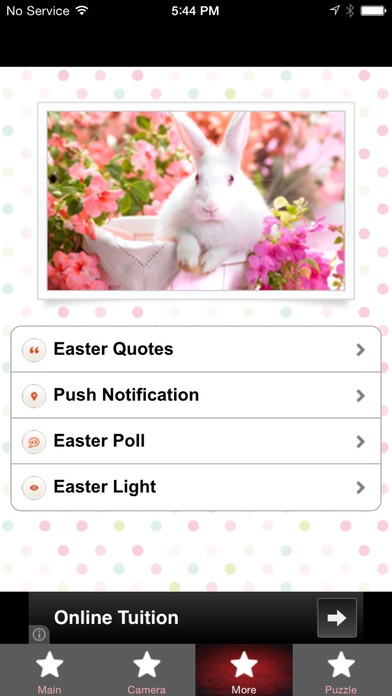
Easter is coming! Out comes the hopping Easter Bunny! Kids going around egg hunt. Egg decoration where kids and adults enjoy themselves coloring the eggs, dye them with different attractive colors and patterns. Capture them all using Easter Egg Fun Frames app.
There are indeed lots of activities going around and you won t want to miss the joyous moments. With Easter Egg Fun Frames, you can beautify and personalize photos of your family, kids and friends with various frames specially designed for this Easter occasion. You can even send them as e-cards too.
Go ahead and start downloading Easter Egg Fun Frames app now for free and get into the Easter mood rush!
HOW TO SELECT FRAME:
Tap EASTER FRAMES
Tap "+" icon top right > your screen is fitted with Frame.
Slide left/right to choose your desired frame, then snap the photo.
HOW TO SELECT STICKER:
Tap EASTER STICKERS
Tap "CAMERA ICON" on top > select camera or photos
Tap MASK at bottom > select "choose
Adjust the size > SEND (save in gallery or share)
APP FEATURES:
Beautiful designed Easter photo frames to choose from.
Add fun to your photo using cute Easter themed stickers.
Available photo effects like gray, sepia, etc.
Easter Quotes.
Simple puzzle game with multiple level to keep you entertain.
Requires iOS 5.1.1 or later. Compatible with iPhone, iPad, and iPod touch.
About Easter Egg Fun Frames
The company that develops Easter Egg Fun Frames is Elin Lim. The latest version released by its developer is 1.1.
To install Easter Egg Fun Frames on your iOS device, just click the green Continue To App button above to start the installation process. The app is listed on our website since 2015-01-28 and was downloaded 7 times. We have already checked if the download link is safe, however for your own protection we recommend that you scan the downloaded app with your antivirus. Your antivirus may detect the Easter Egg Fun Frames as malware if the download link is broken.
How to install Easter Egg Fun Frames on your iOS device:
- Click on the Continue To App button on our website. This will redirect you to the App Store.
- Once the Easter Egg Fun Frames is shown in the iTunes listing of your iOS device, you can start its download and installation. Tap on the GET button to the right of the app to start downloading it.
- If you are not logged-in the iOS appstore app, you'll be prompted for your your Apple ID and/or password.
- After Easter Egg Fun Frames is downloaded, you'll see an INSTALL button to the right. Tap on it to start the actual installation of the iOS app.
- Once installation is finished you can tap on the OPEN button to start it. Its icon will also be added to your device home screen.
